
Bear Tips: Take action on multiple notes with the Drop Bar
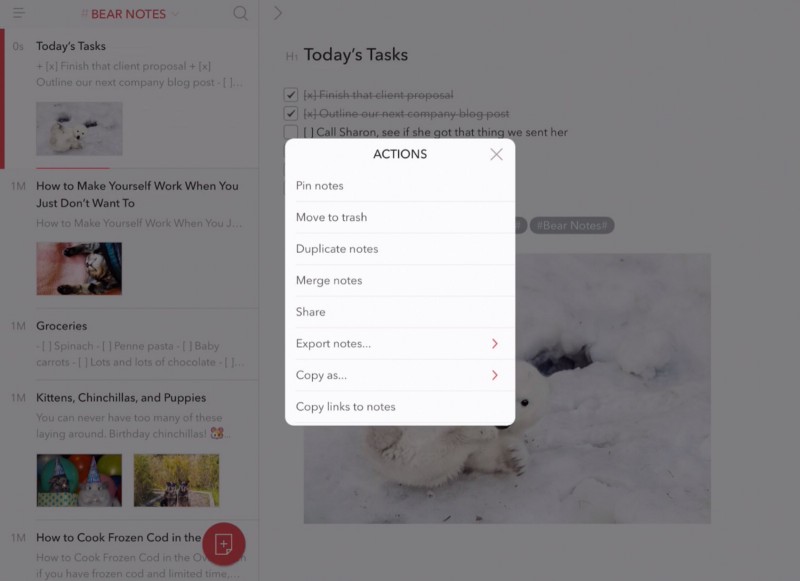
Let’s say you want to pin multiple notes at once in Bear for iPad and iPhone, or duplicate, merge, share, export, copy, or trash them. Good news: you can!
Let’s say you want to pin multiple notes at once in Bear for iPad and iPhone, or duplicate, merge, share, export, copy, or trash them. Good news: you can!
Bear folks really like to tag. And we really like helping Bear folks to tag and find notes more quickly. If you’re nodding your head, this one’s for you.
If your notes cannot be constrained to #tags of mere individual words, Bear also supports multi-word tags. Here’s how to use them.
Getting things done in Bear by mousing or tapping around is fun and all. But you know what really scratches a bear’s back? Keyboard shortcuts. And we have two paw-fuls of ’em for you.
We coudn’t believe it when we saw the calendar event coming up this week, but sure enough: today marks the first full year of Bear.
When iOS 11 shipped, we were ready with support for drag and drop on iPad. “But wait a minute,” we said to ourselves. “We can go even farther.” Then we went farther.
You can pin your notes to the top of the Note List to have quick access to your most important stuff.